
Project detail
Lynx Safety
Lynx Safety
Lynx Safety
Lynx Safety was a group concept project from my first year at CU Denver: A campus safety app meant to give students real tools for staying safe, not just another emergency contact list buried in a school website. Our group had six people, and I was the sole designer, responsible for turning the group's research and concept into an actual interface. It's one of my earliest UI/UX projects, and the one that actually made me fall in love with the discipline.
Designing for a moment when friction actually matters
Before designing any feature, our group did real research into campus safety, and what we found reframed the whole project. National data on campus sexual assault was far higher than any of us expected going in, and a clear pattern showed up alongside it: incidents disproportionately happened at night, in poorly lit or isolated parts of campus. That single pattern is what shaped almost every design decision that followed. We couldn't fix campus lighting, but we could design something that gave a student walking alone at night an actual layer of protection.
Designing for a moment when friction actually matters
Before designing any feature, our group did real research into campus safety, and what we found reframed the whole project. National data on campus sexual assault was far higher than any of us expected going in, and a clear pattern showed up alongside it: incidents disproportionately happened at night, in poorly lit or isolated parts of campus. That single pattern is what shaped almost every design decision that followed. We couldn't fix campus lighting, but we could design something that gave a student walking alone at night an actual layer of protection.
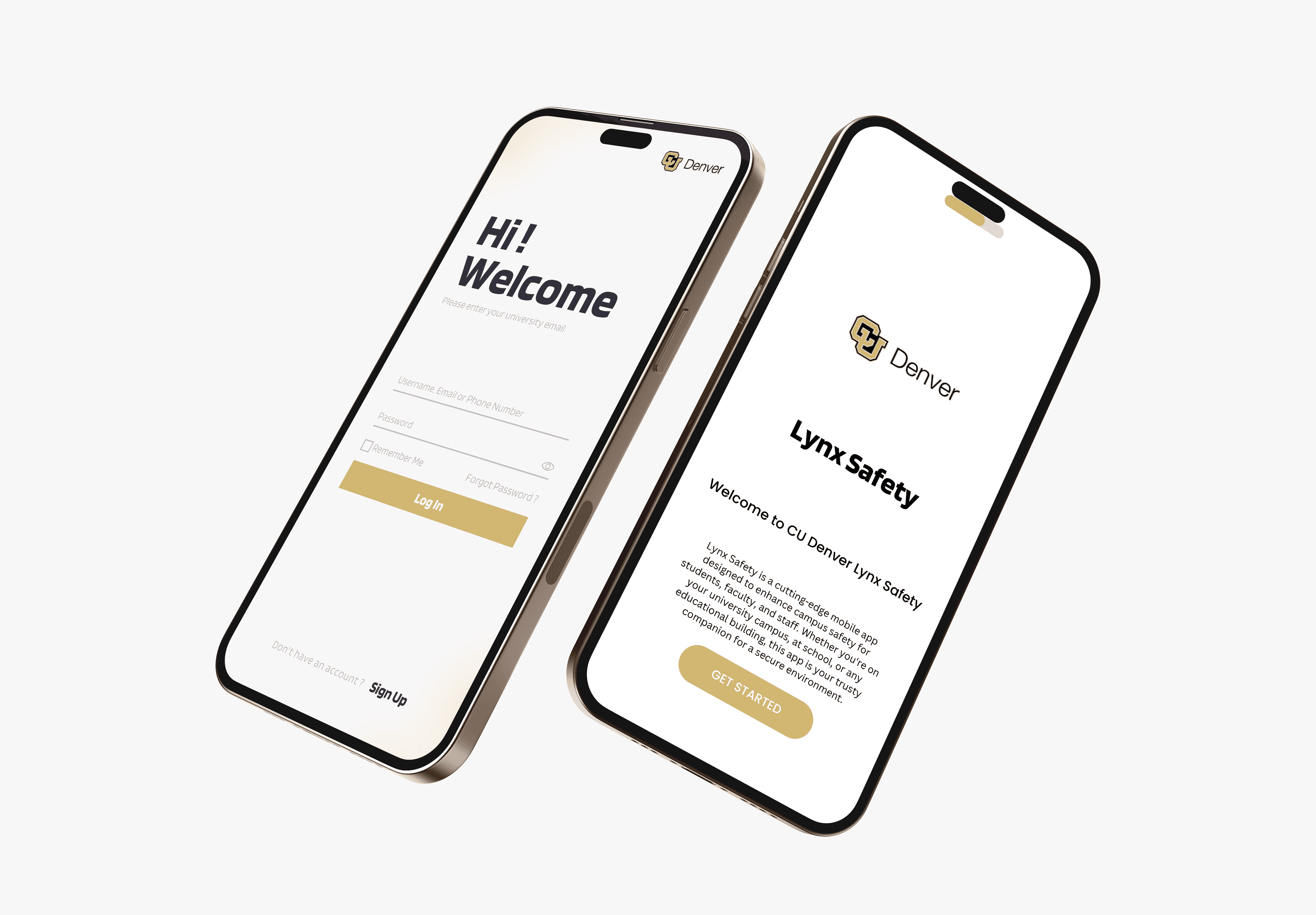
That same logic shaped even the smallest screens, like login and password recovery. A safety app is only useful if getting into it is fast and frictionless, so account access couldn't be an afterthought bolted onto the "real" features. If someone needs the app in a stressful moment, a clunky login screen isn't a minor inconvenience; it's a design failure.
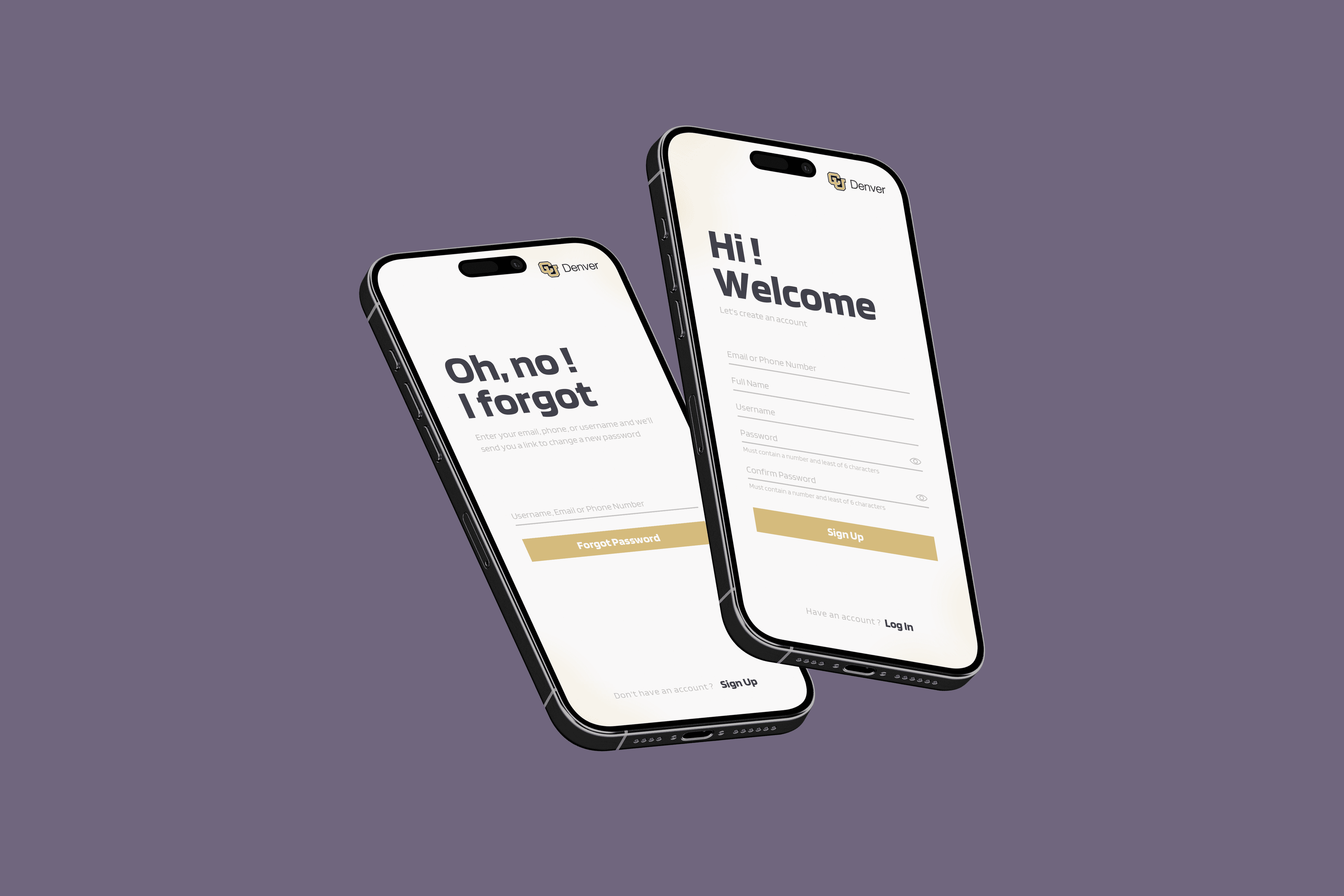
That same logic shaped even the smallest screens, like login and password recovery. A safety app is only useful if getting into it is fast and frictionless, so account access couldn't be an afterthought bolted onto the "real" features. If someone needs the app in a stressful moment, a clunky login screen isn't a minor inconvenience; it's a design failure.
Building tools around the actual pattern
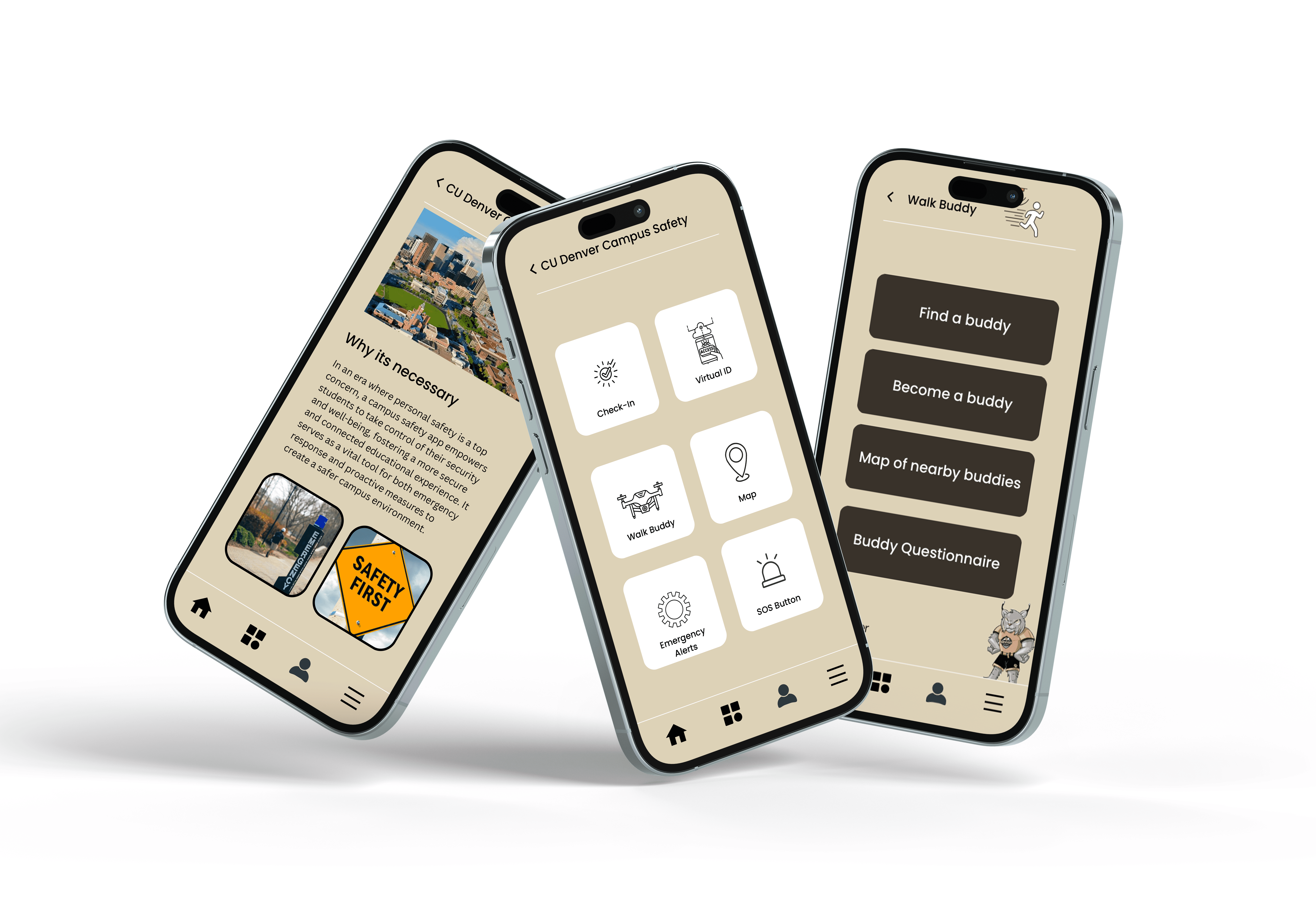
The Walking Buddy System came directly out of that research: a virtual escort feature using real-time location tracking, designed for exactly the scenario our data kept pointing to, a student walking alone at night. Alongside it, the app included one-touch emergency alerts and direct contact with campus safety, a personal safety toolkit with panic buttons and safety check-ins, and a virtual ID for the very ordinary, very real problem of a misplaced student ID at the wrong moment.
Since finding CU Denver-specific safety data proved genuinely difficult during research, we leaned on broader national data and our own group interviews to fill the gap. We also interviewed a professor who had built dozens of apps, whose feedback shaped how we thought about what actually makes an app good, beyond just listing features it should have.
Outcome
The project shipped as a fully interactive, high-fidelity prototype, at a stage in the course where most other groups were still presenting static screens. Standing in front of that class and walking through something people could actually click through, rather than just look at, is the moment that got me genuinely excited about UI/UX design, and it's part of why this project still has a place on my portfolio years later.
What this project actually tested: Real research, even research with a hard, sobering finding, needed to translate into calm, usable design rather than either ignoring the problem or leaning into alarm. The goal was a tool a student would actually want on their phone, not a reminder of what they should be afraid of.
Building tools around the actual pattern
The Walking Buddy System came directly out of that research: a virtual escort feature using real-time location tracking, designed for exactly the scenario our data kept pointing to, a student walking alone at night. Alongside it, the app included one-touch emergency alerts and direct contact with campus safety, a personal safety toolkit with panic buttons and safety check-ins, and a virtual ID for the very ordinary, very real problem of a misplaced student ID at the wrong moment.
Since finding CU Denver-specific safety data proved genuinely difficult during research, we leaned on broader national data and our own group interviews to fill the gap. We also interviewed a professor who had built dozens of apps, whose feedback shaped how we thought about what actually makes an app good, beyond just listing features it should have.
Outcome
The project shipped as a fully interactive, high-fidelity prototype, at a stage in the course where most other groups were still presenting static screens. Standing in front of that class and walking through something people could actually click through, rather than just look at, is the moment that got me genuinely excited about UI/UX design, and it's part of why this project still has a place on my portfolio years later.
What this project actually tested: Real research, even research with a hard, sobering finding, needed to translate into calm, usable design rather than either ignoring the problem or leaning into alarm. The goal was a tool a student would actually want on their phone, not a reminder of what they should be afraid of.
View Other Projects
View Other Projects

Contact
Let's Get in Touch
Contact
Let's Get in Touch
Contact